


We work very closely with our clients which often involves sharing files and the most efficient way to do this is to use a service called Google Drive. Google Drive is a secure, cloud-based, document storage system that can be used to easily share files between multiple parties.
This service works for us as a two-way sharing service. We create a set of folders, which you as the client can view and modify, and likewise you can also upload information into this area when we need to obtain content from you.
For example, if we issue an invoice we will upload this to an ‘Invoices’ folder so you can see our billing history in one location instead of having to search back through old emails. If we require you to provide us content for your website, such as photos, we will create a folder and ask you to upload the photos to that location.
The result of this is everything is securely shared in one location, and any change is instantly visible by both of us.
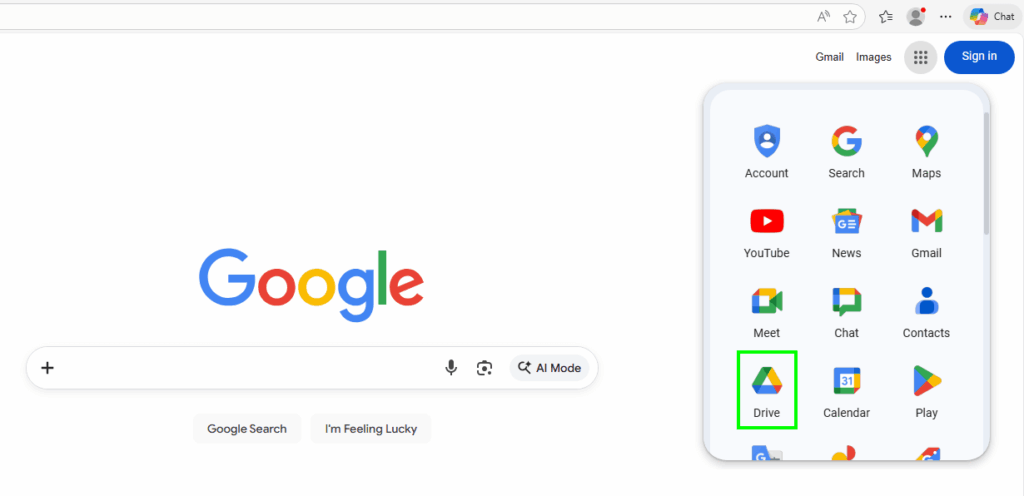
Google Drive is very easily accessed using your browser as per below;
1. Open your web browser and visit Google (either google.co.uk or .com) and click the  icon then click the Drive icon as outline below
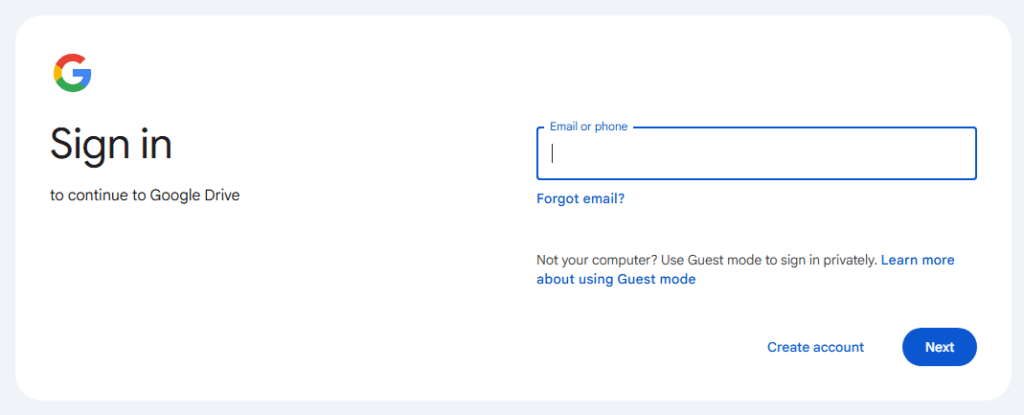
2. If you have a Gmail account or a Google account you may already be logged in. If not, login with your email address and password. If you don’t have a Google account, contact us and we’ll help you to set one up for free
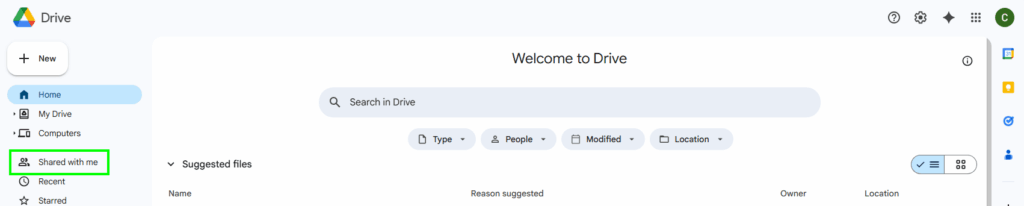
3. Within your Google Drive you’ll see a link on the left called ‘Shared with me’, click on this
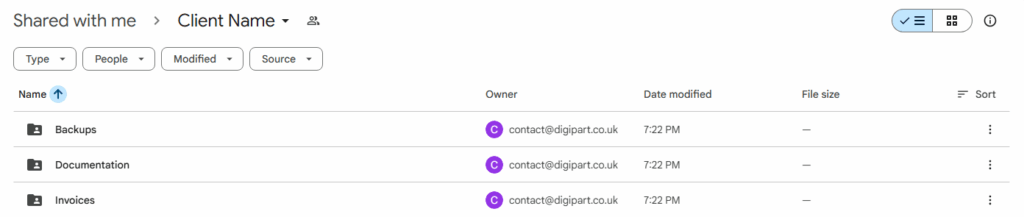
4. You’ll see a folder with your name (here shown as ‘Client Name’, this is the top-level folder we’ve shared to you. Click into this folder

5. Within this folder you’ll see all the content we’ve shared with you. Using the tools within Google Drive you can view and edit documents, or upload and download files as needed. For more help please contact us